
How to Choose Healthy Chairs for Better Posture
A chair can shape how your body feels long after the workday ends. The wrong seat may leave you shifting, leaning forward, or rubbing a stiff lower back. A supportive chair cannot guarantee perfect posture. Still, it can make comfortable movement easier.
Healthy Chairs are not defined by a high price or a complicated set of controls. Look for practical features: adjustable seat height, steady back support, and enough room to change position. Your feet should rest comfortably on the floor or a footrest, while your shoulders stay relaxed near the desk. Small details matter. A hard seat edge can press into your legs; a backrest that misses your lower back may feel useless after an hour.
Choosing well starts with your own body and workspace. Someone who is shorter may need a different seat depth than someone with longer legs. Measurements help, but they do not tell the whole story. Try sitting in the chair, if possible, and notice where pressure builds. Then check whether the adjustments remain easy to use during a normal day.
Posture is not a frozen pose, and even a well-fitted chair cannot replace regular movement. That part is easy to forget. Stand, stretch, and change positions when you can. In the sections ahead, we will look at chair features, fit, materials, and everyday checks that can help you make a more informed choice. A chair may not feel perfect immediately. Give your body time, and reassess what works.
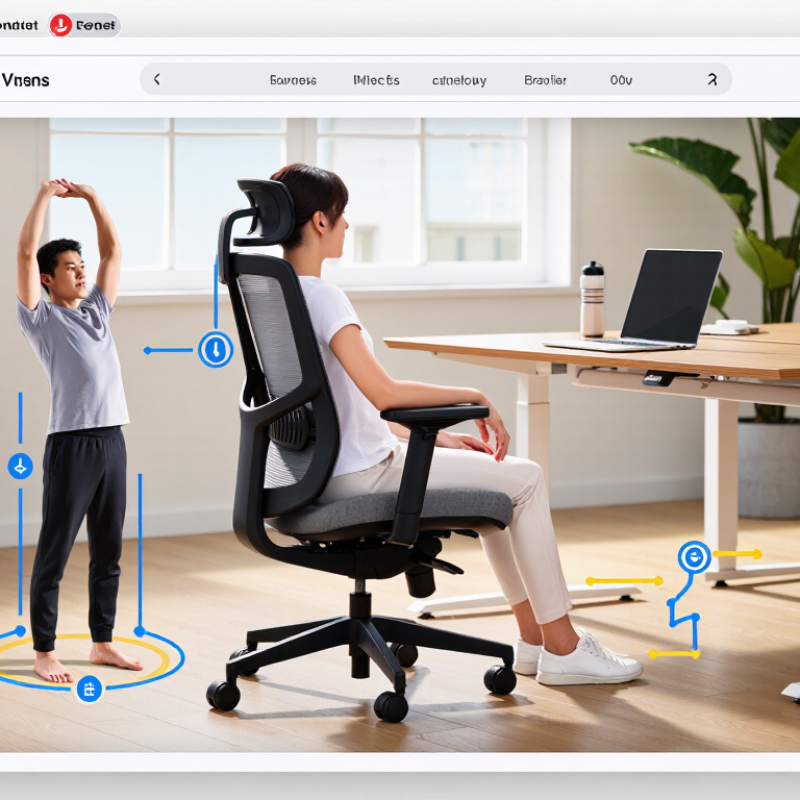
How Chair Design Influences Posture and Comfort
How Chair Design Influences Posture and Comfort
A chair shapes how your body meets the desk, not just how long you can sit. Eurofound’s 2021 European Working Conditions Telephone Survey found that about 30% of workers reported backache. That figure does not prove chairs caused the pain, but it shows why everyday setup deserves attention. Small details matter. A seat that is too high may leave feet dangling; one that is too deep can press behind the knees and encourage slouching. OSHA’s Computer Workstations eTool recommends adjustable seating, back support, and feet supported on the floor or a footrest.
Look for a seat height that lets your feet rest steadily and your thighs sit roughly level. Leave a small gap behind the knees. The backrest should meet your lower back without forcing an exaggerated arch. Armrests can help when they let shoulders stay relaxed, rather than raised toward the ears. A chair that reclines slightly may make position changes easier, but no single setting suits every body or desk. I still think “good posture” can sound too fixed; comfort often comes from changing position, not holding one perfect pose. Test the chair at your actual desk, with your usual shoes and keyboard, and notice where pressure builds after a short while.
How to Choose Healthy Chairs for Better Posture - How Chair Design Influences Posture and Comfort
| Chair Feature | Practical Fit Target | How It Influences Posture and Comfort | What to Check Before Choosing |
|---|---|---|---|
| Seat height | Adjust the seat so both feet rest flat on the floor and the knees are roughly level with, or slightly lower than, the hips. | A suitable height helps prevent dangling feet and excessive pressure beneath the thighs. | Choose a chair with a height range that fits the user and the desk. If the feet cannot reach the floor, use a stable footrest. |
| Seat depth | When sitting back against the backrest, leave a small gap—about 2–3 finger widths—between the front edge of the seat and the back of the knees. | A seat that is too deep may press behind the knees or make it harder to use the backrest. A seat that is too shallow may provide insufficient thigh support. | Look for adjustable seat depth or test that the user can sit back while keeping the gap and maintaining comfortable thigh support. |
| Seat width | The seat should provide room for the hips without pressing against the sides of the thighs. | Adequate width allows a relaxed sitting position and makes it easier to change posture. | Check fit while seated, including space for normal clothing and movement. There is no single width that fits everyone. |
| Backrest and lumbar support | The backrest should support the back comfortably, with support that can be positioned near the inward curve of the lower back. | Support for the lower back can make it easier to sit back rather than slouch. The fit should feel supportive, not forceful. | Prefer adjustable lumbar support or a backrest shape that matches the user. Check that it remains comfortable during normal movement. |
| Backrest recline | Choose a backrest that allows comfortable recline and changes of position rather than locking the user into one upright angle. | A range of supported positions encourages movement and can reduce the effort of holding a single posture for long periods. | Test the recline control and resistance. The backrest should move smoothly and provide support in the positions the user uses. |
| Armrests | When used, armrests should let the shoulders stay relaxed and the elbows rest close to the body. | Properly positioned armrests can support the arms; armrests that are too high may raise the shoulders, while ones that are too low may encourage leaning. | Check height and width adjustment. Make sure the armrests do not prevent the chair from moving close to the desk. |
| Seat surface and padding | Choose a stable, comfortable surface that does not feel hard or create concentrated pressure during the intended sitting period. | Comfort affects how long a person can sit without discomfort, but soft padding alone does not ensure good posture. | Test the chair for a reasonable period if possible. Consider breathable upholstery and a front edge that does not dig into the thighs. |
| Movement and adjustment | Controls should make it practical to adjust the chair and change sitting positions throughout the day. | There is no single ideal posture to hold continuously; regular position changes are a useful part of comfortable sitting. | Check that height, recline, and other adjustments are easy to reach and remain secure after adjustment. |
Fit note: These are practical ergonomic guidelines, not fixed medical measurements. Body proportions, footwear, desk height, and individual comfort vary; adjust the chair to the person and take regular movement breaks.